• Skip to primary navigation
  • Skip to main content
  • Skip to primary sidebar
  • Privacy Policy

Wolfheart

Helping small businesses make money using AI | AI Filmmaker | Content Creator

YoutubeLinkedinPinterest
  • Home
  • Services
    • Google Business Profile
    • SEO Content
  • About Me
  • Contact

Archives for August 2024

Is Pictory AI Worth It for Text to Video Creation?

August 7, 2024

Last Updated on August 26, 2024 by Jan Barley

is pictory worth it

Pictory AI Text To Video Creation Can Save Hours And Produce High Quality Video Content

Pictory AI is a powerful tool that turns text into videos automatically. It’s great for content creators who want to make professional-looking videos but don’t have technical skills.

The platform handles visuals, voiceovers, editing, and captions, saving creators time. It’s handy for quickly turning articles or scripts into shareable videos.

While Pictory is impressive for its speed and ease of use, it does have some limitations. The videos can sometimes look generic, and there’s less creative control compared to manual editing.

Pictory AI is fantastic for marketers and businesses looking to increase their video content without investing more time or resources.

Overall, Pictory is worth trying if you want to convert written content into video format efficiently. It might not replace custom video production, but it’s a solid option for scaling up video content quickly.

How does Pictory AI work?

Pictory AI converts text input into video content through several automated steps. Here’s a quick overview of how Pictory AI works:

  1. Text Input: Users provide written content like articles, scripts, or blog posts.
  2. Analysis: The AI analyses your text to understand its structure and content.
  3. Visual Selection: Based on the text analysis, the AI selects relevant stock footage, images, and video clips from its library.
  4. Voiceover Generation: The system can generate a professional AI voiceover of the text in various languages and accents.
  5. Music and Sound: Pictory adds background music and sound effects to enhance the video.
  6. Editing and Compilation: The AI assembles all these elements into a coherent video, syncing visuals with the voiceover and text.
  7. Captioning: The AI generates automatic captions.

The great thing about creating video content with Pictory AI is that you can still customise the video if you want to change something, such as adding a few images of your own.

It’s not as fluid a process as editing manually created video content, but overall, Pictory does a great job.

You can download or share the video when you’re happy with it.

Using Pictory AI to Curate Content

Content creation can become challenging if you’re working across multiple social media platforms. Curating content is a massive timesaver, and that’s the beauty of Pictory AI.

Create shareable video content from your blogs, articles, LinkedIn posts or any written content and save 80% of your usual time and effort.

What I Like About Pictory AI

I looked at Invideo before I tried Pictory but I didn’t get along with that platform. Here are six things I love about Pictory AI.

#1: Pictory AI is Quick & Easy to Use

It takes me around 2-3 hours to write a blog post. Pictory AI can convert that to video content in less than 10 minutes.

#2: Converts Your Long-Form Text-Based Content Into Video

Having the capacity to curate long-form content is priceless for us content creators.

#3: High-Quality Voiceovers

I watch hours of video content each week. You generally hear the same few AI voices repeatedly. Pictory voiceovers sound professional and human!

#4: Integration With Social Media Platforms

You can share your Pictory video content directly on YouTube, Instagram, Facebook and other platforms.

#5:  Captions

Overall, Pictory nails video captions’ accuracy and timing. I’d say the AI has around 95% accuracy, so it needs little editing.

#6:  Offers A Money Back Guarantee

Pictory offers a 14-day money-back guarantee.

Pictory AI Pricing Packages

pictory ai price plan

You Get A Lot Of Value With Pictory AI Plans Including Generous Video Creation Minutes

Convert Blog Posts to Videos

Is Pictory AI worth it for curating blog content? I think so, and here’s why.

You may have noticed the change in recent months to video content ranking top in SERPs.

Curating your blog post increases your reach and keeps people on the page who prefer watching video content to reading.

Pictory AI converts your articles into professional, optimised videos for your website, YouTube or other social media platforms.

How Pictory AI Converts Blog Posts into Video

  1. Copy and paste your article into Pictory’s editor or import the URL.
  2. Customise the music, video style, voiceover or visuals to match your brand.
  3. The AI analyses the article and pulls relevant clips and images into video content.
  4. It brings everything together into a professional, shareable video in minutes.

Why Bother Curating Blog Posts?

Curating your blog posts is a powerful way to increase blog traffic.

Remember that traffic = sales.

Curating blog content with Pictory AI saves you hours of manually creating videos. I’m not the fastest at creating video content manually, but even using my content bank and Canva, it still takes me a day and a half to create TikTok content for the week.

If you have aged blog content or articles ranking in SERPs, pulling a video together gets more eyes on your business.

Additionally, Pictory AI can create highlights from long-form content, giving you shareable clips.

Pictory AI Teams Plan

The Team plan enables your team to collaborate on video content in a unified space.

Your team can upload, organise and edit scripts, footage, graphics and storyboards to structured folders.

You can customise permissions, which is super helpful for controlling access to external partners.

The Team plan can help streamline the content creation, improve the workflow and increase output.

Pictory AI Pros and Cons

Pictory is a fantastic platform for video creation. Still, like all tools, it comes with advantages and disadvantages.

Pictory Pros

  1. Fast Video Creation: It transforms text into polished videos within minutes.
  2. User-Friendly Interface: The platform has easy-to-navigate editing tools and personalisation options.
  3. High-Quality AI Voice: Pictory AI has impressive text-to-speech capabilities.
  4. Smart Content Matching: The AI selects relevant visuals and edits effectively.
  5. Automated Features: Includes useful tools like caption generation.
  6. Content Repurposing: Easily converts written content into video format.
  7. Budget-Friendly: At $19 – $99/month, Pictory offers affordable video production solutions.

Pictory Cons

  1. Creative Constraints: There is less design flexibility compared to manual editing.
  2. AI Limitations: It cannot fully replicate human creative decisions.
  3. Caption Accuracy: There is room for improvement in subtitle precision.
  4. Visual Complexity: The AI occasionally struggles with intricate scene representation.
  5. Processing Speed: Video rendering can sometimes be time-consuming. However, it’s still faster than doing it yourself.

Is Pictory AI Better Than Invideo AI?

Invideo AI is a popular platform for AI video creation. Prices are comparable, but you get more bang for your buck with Pictory.

For example, the Pictory AI Starter Plan gives you 200 minutes of video creation for $19/month.

Invideo Plus is $20/month, but you only get 50 minutes of video creation monthly.

That’s a significant difference. If you create five-minute videos, you only get 10 pieces of content with Invideo but 40 with Pictory!

In addition to that, you only get two voice clones with Invideo Plus.

When comparing platforms, I always check Trustpilot. Invideo scores poorly with 3.6* reviews, but Pictory leaps ahead with 4.2* Trustpilot reviews.

Conclusion: Is Pictory AI Worth It?

Pictory AI is an affordable text-to-video creation platform with many advantages over its competitors.

The platform is suitable for beginners. It significantly shortens manual video creation and has a 4.2* with Trustpilot reviews.

There’s nothing to lose with the 14-day money-back guarantee. Once you start curating text-based content into video, you will never want to go back to creating video content manually.

Disclaimer: There are affiliate links on this page. If you make a purchase, I may receive a small commission.

Is Faceless Marketing Worth It for Content Creators?

August 5, 2024

Last Updated on October 13, 2024 by Jan Barley

is faceless marketing worth it

Faceless Marketing Is Less Stressful Than Camera Facing. It Decreases the Risk if Content Creation Burnout

Is faceless marketing worth it?

Most digital marketing courses say it takes longer to build a following with faceless marketing.

Supposedly, it’s the “know, like, trust” aspect.

I don’t get that. Just because you can see someone’s face doesn’t mean that person is honest and ethical.

I know many people who’ve bought from an influencer and then got ghosted once they’d handed over their hard-earned cash.

Additionally, it’s not followers you need. It’s a loyal tribe of people who want to buy your products or services.

Be aware of the dopamine hit of wanting more followers for the sake of it.

Still, notably, in 2024, more people are switching to faceless marketing, and there are sound reasons for doing so.

What’s the Deal with Faceless Marketing?

Simply put, faceless marketing is content without a face. No influencers. No celebrities or you turning up on video each day. It’s just a pure, unadulterated product or message.

I switched to faceless marketing in May 2024 because I had an allergic reaction on my face and neck.

Going faceless was the best thing that happened.

Why Faceless Marketing Is Catching Fire

Is faceless digital marketing worth it for individuals and businesses? I think so.

Maybe I am biased, but faceless marketing has made my life as a content creator considerably easier.

The following section explores the benefits of faceless marketing for creators like me and online or brick-and-mortar businesses.

Faceless Marketing For Creators

As a content creator, I think faceless marketing is the dog’s wotsits. I wish I’d done it sooner.

Privacy: The Invisible Superhero

Imagine being famous, but not really.

It comes with a whole heap of disadvantages.

Weirdly, your followers start thinking they have some rights to your time and energy. They can get quite put out if you pull back from your camera-facing marketing campaign.

Faceless marketing lets you keep your personal life personal. No more random fan encounters at the grocery store or unwanted attention towards your family and friends.

Fewer trolls. Fewer negative comments and DMs.

You’re free to create without the baggage of a public persona, giving you the power to switch off when you’re not ‘on duty’.

Faceless marketing is like having a secret identity, minus the cape and tights.

Less Stress: Goodbye Burnout!

Say goodbye to the pressure of looking Instagram-perfect 24/7. OK, filters these days are amazing, but it’s a lot of faffing.

After six weeks of posting twice daily on TikTok, I’d had enough.

Each day, I shared one forward-facing and one faceless video. The former took 5 or 6 takes. I then added filters and captions and cut the ums and errs. One video took me 30-60 minutes, and I did fourteen videos weekly!

Creating faceless content is simple and quick, primarily created on Canva with faceless aesthetic video content.

With faceless marketing, you can skip the drama of social media comments about your appearance and avoid the expectation to weigh in on every trending topic.

It’s a break from the ‘always on’ mentality of personal branding.

You’ll feel the weight lift off your shoulders as you reduce anxiety about being judged for every word or action.

Maintaining work-life balance becomes much easier when your face isn’t your brand.

Since starting faceless marketing, I no longer feel the exhaustion of a day spent creating video content.

faceless marketing

Faceless Marketing is Less Stressful & it’s Quicker to Create Content

Focus on Content: It’s All About the Message

With faceless marketing, your ideas take the stage, not your personality.

That said, I believe you can inject personality into your faceless content.

Still, your audience engages with your content, not your personal life.

Faceless marketing allows you to evolve your content without explaining personal changes or confusing your audience with pivots in topics or styles.

Collaboration becomes a breeze without worrying about personal brand conflicts.

Best of all, your work is judged on its quality, not on whether your nose is too big or your hair is a mess. It’s pure, unadulterated content – your ideas, message, and superpower.

I’ve found it easier to stick to my brand colours and provide a cohesive look throughout my TikTok content. I then curate to Instagram.

Remember, in this world, your content speaks louder than any selfie ever could. It’s all about what you say, not how you look when saying it.

Faceless Marketing For Brands

If you’re building a brand online, don’t assume you need to show your face. Creating a faceless brand might be the best decision you make.

No PR Nightmares: Brand Safety on Autopilot

Imagine a world where your brand isn’t one tweet away from disaster.

Do they still call them tweets or baby Xs?

You’re free from the rollercoaster of influencer scandals and public meltdowns. Your brand stays squeaky clean, focused on what matters – your product or service.

That’s the beauty of faceless marketing.

Adapting to trends and building a force field around your reputation is easier, protecting you from the unpredictable highs and lows of personal branding.

Your Product Takes Centre Stage: The Real Star of the Show

In faceless marketing, your product isn’t playing second fiddle to a famous face. It’s the headline act, the main event, the reason people tune in.

Without a celebrity distraction, consumers build a relationship directly with your brand.

They’re not buying because “Jennifer Aniston uses it.” Your product becomes authentic and stands on its own merits.

It becomes known for what it is, not who is selling it.

It’s Easier on the Wallet: Champagne Marketing on a Beer Budget

Faceless marketing lets you create impactful campaigns without breaking the bank.

You’re investing in creativity and quality content, not celebrity fees.

Or, if you’re doing it yourself, you can create faceless content wearing your pyjamas, eating a bag of crisps and sitting next to your dog.

That means more bang for your buck, more campaign content, and more marketing strategy flexibility. It’s an effective shortcut to marketing success that doesn’t require a Hollywood budget.

Become a faceless marketer

One Primary Benefit of Faceless Marketing is You Can Hire Someone to do it for You.

Content Stays Fresh Longer: The Gift That Keeps on Giving

Evergreen content is the bomb!

I’ve posted faceless content on TikTok since May 2024. I post Monday to Friday twice daily. Recently, I’m switching to once daily.

Creating fourteen faceless videos each week is still time-consuming.

I’m reducing my content output because I still get similar views and followers over the weekend whether I post or not.

Faceless content has serious staying power. Unlike influencer campaigns that can feel dated faster than last season’s fashion, anonymous content remains relevant for longer.

It’s not tied to fleeting trends or fading stars.

This longevity means your content works harder for you. It’s a marketing strategy that keeps giving long after you’ve created it.

Scales Like a Dream: Growth Without Growing Pains

Want to expand your campaign? With faceless marketing, it’s a breeze.

If you’ve spent a year producing face-forward content, you can only hire a team to edit your videos. You must still show up on camera.

With faceless, you can hand the job to anyone capable of creating faceless content that adheres to your branding.

Multiple creators can work on your content simultaneously. Whether targeting different regions or ramping up production, faceless content scales effortlessly.

It’s a functional marketing strategy that grows with you without the growing pains.

In the world of faceless marketing, your brand isn’t just a face – it’s about the power of creativity and branding.

250 FREE Reels Just For You

As a thank you for reading to the end, here is a link to 250 faceless reels. Use the coupon code FACELESS
Enjoy. They are 100% free.

Conclusion: Is Faceless Marketing Worth It, And Is It Here To Stay?

Maybe.

Is it the only way forward?

Not necessarily. I notice that novice marketers switch from face forward to faceless marketing and then back again.

That ineffective strategy happens because they are impatient and don’t give their marketing plan enough time to work.

Only you can answer the question, “Is faceless marketing worth it?” If you plan to give it a try, here’s a few tips

  • Map out ideas on paper
  • Add impactful, upbeat music
  • Add captions if you do voice-over
  • Create brand colours, styles & font
  • Use simple editing tools like Canva
  • Monitor analytics to see which content performs best & do more of that

There are disadvantages to faceless marketing, but for me, it is the quickest and easiest way to create video content.

Best Pinterest Pin Design Course: Great for Beginners

August 2, 2024

Last Updated on February 11, 2026 by Jan Barley

best pinterest pin design course

Best Pinterest pin design course on the planet is the Pin Design Perfection. It’s the only pin design course you will ever need without paying an arm and a leg for it.

I love this course, and it has transformed my pin designs. My first Pinterest account got suspended (my own mistakes) and I was determined to start afresh with my new Pinterest account.

Have you ever wondered why some Pinterest accounts effortlessly generate viral content while others struggle to gain traction?

While numerous factors contribute to a pin’s success, one crucial element stands out: visual appeal.

After all, Pinterest is, at its core, a visual platform. If your pin designs aren’t captivating, people won’t click and save your designs, which reduces traffic and sales opportunities.

Why Does Pin Design Mattter?

When I first ventured into pin design in early 2024, I spent countless hours crafting just one or two pins. It was a frustrating process.

I somehow could never quite get my pins to look right. They always looked a bit blah.

My Pinterest pin design journey took a turn for the better after discovering Kristin Rappaport’s work.

Her stunning pins consistently appeared in my feed, inspiring me to improve my designs. Intrigued by Kristin’s expertise, I immersed myself in her content, learning invaluable tips and tricks from a professional graphic designer.

I watched Kristin’s incredible free 5-Part Pin Design Formula workshop and got hooked.

I’d been overthinking my Pinterest pin designs because I lacked basic understanding of branding, typography, fonts, colours and styles, etc.

In addition, Kristin’s style of teaching appealed to me. She gave away priceless information in the free Pin Design Masterclass.

Investing in Kristin’s Pin Design Perfection course wasa no-brainer. She offered an instalment plan, and a discount, which meant I could afford to buy it without paying out a lump sum.

best pinterest pin design course

Pin Perfection is the perfect Pinterest pin design course for beginners. Modules are bite-sized and easy to follow

What I Love About Kristins Pinterest Pin DesignTraining

Pin Design Perfection is a fantastic course. Not only to learn about creating fabulous pins. It also helps improve your design skills for any creative project.

I was astonished at how many Canva pin templates I got with the course. I haven’t counted them, but there appear to be at least a 100+ pin templates.

The impact of the training was immediate – I could now create visually appealing pins quickly and confidently.

This newfound skill dramatically improved my online presence.

Kristin’s course, Pin Design Perfection, offers a comprehensive guide for bloggers and Pinterest managers. The training provides step-by-step instructions on creating click-worthy pins quickly, complete with customisable Canva templates.

The ability to create professional-grade graphics is an invaluable asset in the digital landscape.

Whether you’re a blogger, entrepreneur, or aspiring Pinterest manager, honing your graphic design skills can open doors to numerous opportunities.

I plan to use the course to build my Pinterest account and start selling off-the-shelf pin templates for business.

Want a More Affordable All-Round Pinterest Course for Beginners?

Until recently, I recommended a few Pinterest courses, but not all are suitable for beginners, and some are expensive.

Then, in August 2025, Meagan Williamson contacted me to say she was creating a new and affordable Pinterest beginners course together. From my experience with Meagan, I KNEW the course would be good, but what materialised was even better than I expected.

Meagan’s course comes with pin design training and pin design templates and is a fraction of the cost of the Pin Perfection course, which is moreorless purely about design.

Want to know more? Read my in-depth review of the Pinterest for Beginners course.

How Designing Better Pins Helped My Business

My design skills weren’t bad. There was just something missing that I couldn’t quite put my finger on

Before the pin perfection design course

BEFORE: My pins had no cohesive design & were all over the place

It didn’t take long for me to start improving my Pinterest pin design. Armed With Kristin’s templates and understanding how to build a Pinterest brand, I got to work.

I picked four colours, four font’s and a range of templates to work with.

In the image below, you can see my brand stands out more and the designs are more balanced and cohesive.

pin design perfection

AFTER: Better typography and designed pins that stand out amongst the sea of blah on Pinterest

Free Pin Design Workshop

To give you a taste of her expertise, Kristin’s free 5-Part Pin Design Formula workshop has many fantastic tips you can implement immediately.

This hour-long video session covers essential topics such as:

  1. Crafting compelling headlines that drive clicks
  2. Techniques for creating unique pins that stand out
  3. Time-saving design hacks for efficient pin creation
  4. Key elements that significantly increase website traffic
  5. Strategies to boost your visibility and establish a professional image

Investing in learning graphic design skills, particularly for platforms like Pinterest, can yield substantial returns.

It can help you attract more traffic, gain subscribers, and increase your income. For Pinterest virtual assistants, it’s a surefire way to impress clients and deliver results.

In summary, if you struggle with pin design or spend excessive time on creation, Pin Design Perfection could be the solution you’re looking for.

Primarily, the course can help you create, with confidence and speed, skills that you can leverage across various graphic design fields.

Secondly, the best pin design courses teach strategic pin design for traffic building and engagement, and that’s what Kristin’s course does.

Since doing the course, I’ve found my design skills have improved for everything I create on Canva.

I recommend starting with the free 5-Part Pin Design Formula workshop. After that, you can decide if the Pin Design Perfection course aligns with your needs. It’s an excellent opportunity to experience Kristin’s teaching style and get a preview of the program’s content.

In conclusion, remember in the visually-driven world of Pinterest, strong design skills can be the difference between obscurity and virality. Why not give your pins – and your Pinterest strategy – the boost they deserve and check out the best Pinterest pin design course?

If you want to learn about other Pinterest courses I have completed, read the Best Pinterest Courses post.

Recommended Pinterest Tools: Pin Generator & Pin Inspector

If you’re serious about Pinterest marketing, you’ve probably come across Pin Generator and Pin Inspector—two popular tools designed to help you grow on Pinterest. Still, which one is right for you? It depends on whether you want to grow fast, save time or both. The following is a quick breakdown to help you decide.

Pin Generator Review

Pin Generator is an AI-powered Pinterest automation tool that helps you create, schedule, and post pins automatically—saving you tons of time. It takes me around an hour to create pins on Canva, another hour to write descriptions and another hour to schedule the lot. It gets tiresome after a few months of that weekly regime.

✅ Pros

  • Auto-generates pins from your website or blog (no manual design needed!)
  • Bulk scheduling to keep your Pinterest active 24/7
  • AI-powered designs that match Pinterest’s best practices
  • Keyword optimisation to boost SEO and reach more users
  • Time-saving—great for bloggers, businesses, and content creators

❌ Cons

  • Limited design customisation. It’s not as flexible as Canva, where you have design creativity. Still, the design is less important if your messaging and CTA are spot on. Only you can decide whether you can let go of the creative aspect of Canva.
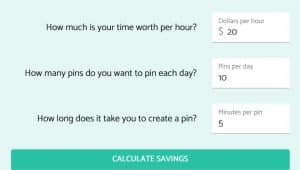
pin generator calculator

Try the free cost savings calculator on Pin Generator

Is There A Free Plan?

No, but they offer a free trial to test how it works before committing. You can then pay a monthly subscription or get a generous discount when choosing an annual plan. Pin Generator also offers a time-activated lifetime plan.

Who Should Use Pin Generator?

It is ideal for bloggers, business owners, and Pinterest marketers who want to create more pins and save time by automating pin creation and scheduling.

Choose Pin Generator if you want a hands-off, automated Pinterest strategy with AI-generated pins and scheduling.


Pin Inspector Review

Pin Inspector is a Pinterest keyword and analytics tool that helps you find high-performing keywords, trending pins, and competitor insights.

✅ Pros

  • Find viral Pinterest keywords to help your pins rank higher
  • Analyse competitor pins to see what’s working in your niche
  • Discovers trending topics so you can create content people are searching for
  • Great for SEO—helps optimise descriptions for better visibility

❌ Cons

  • Erm! Can’t think of any. It’s an affordable tool for improving Pinterest results
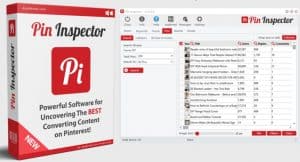
pin inspector

Pin Inspector offers a one-time payment for lifetime access

Is There A Free Plan?

No, but Pin Generator offer a surprisingly reasonable one-time payment (no monthly subscription!), which is great for long-term use. There’s often a $20 discount on the website homepage, too.

Who Should Use It?

Perfect for Pinterest SEO experts, bloggers, and marketers who want to boost visibility with the right keywords and trends.

Pin Inspector is excellent for researching trending Pinterest keywords, platform trends, and competitor strategies to improve Pinterest SEO.


Disclaimer: There are affiliate links on this page. If you make a purchase, I may receive a small commission.

  • « Go to Previous Page
  • Page 1
  • Page 2

sidebar

Blog Sidebar

Recent Posts

  • How to Easily Start an Online Business with ChatGPT
  • My AI Filmmaking Workflow: 5 steps to Video mastery
  • 12 Profitable Business Ideas for Women Who Want Time Freedom
  • Best AI Tools for Cloning Your Voice and Avatar
  • Side Hustles For Busy Moms: 9 Ways To Make Money Fast
  • Galaxy AI: Thousands of AI Tools for a Low Cost
  • VidIQ vs TubeBuddy: Which is Best for YouTube Growth?
  • Is Google Business Profile Worth It? My Professional Opinion
  • 10 Blogging Mistakes You Should Never Make
  • Best AI Writer – My Personal Experience of KoalaWriter
  • Is AI Overview the End of Organic Traffic?
  • KoalaWriter vs SEOWriting AI: Which is Best?
  • Is CapCut Worth It? My 8-Month Review
  • Best Pinterest for Beginners Course Review
  • Best YouTube Growth Tools to Boost Your Channel

Categories